
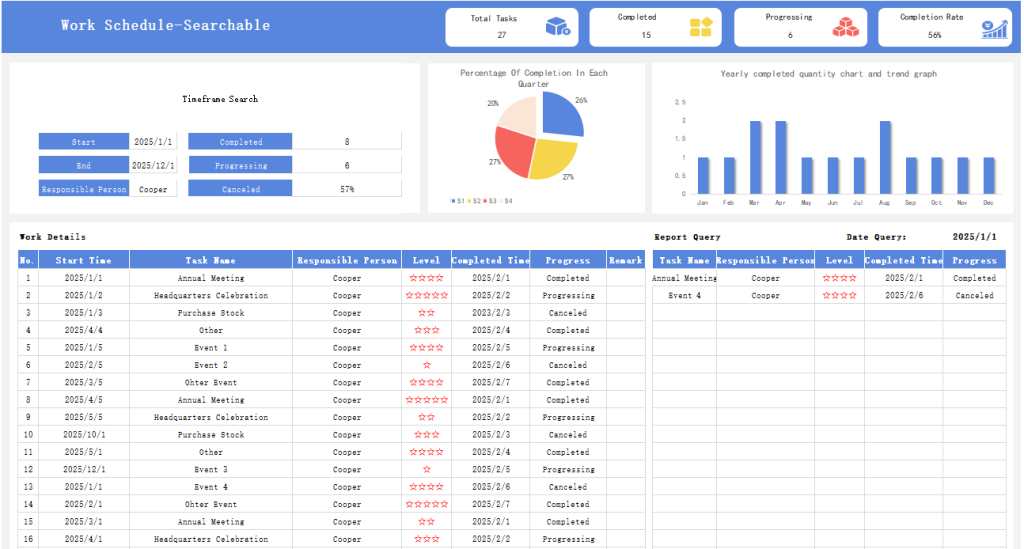
Hey there! Let me walk you through this handy Excel template—it’s a searchable work schedule designed to make organizing your tasks way easier. Whether you’re managing a team, tracking personal projects, or keeping tabs on daily to-dos, this template has got your back.
1. What It Does (The Basics)
- Lets you log work tasks, deadlines, assignees, and statuses in one place.
- The best part? It’s searchable—no more scrolling through endless rows to find what you need.
- Works for both small projects and regular daily/weekly work plans.
2. Key Features You’ll Love
- Search function: Just type a keyword (like a task name or person’s name) and it filters results instantly.
- Clear columns: Typical sections include Task Name, Due Date, Assigned To, Priority, and Status (e.g., To Do, In Progress, Done).
- Easy to edit: Add new rows, update info, or mark tasks as complete without messing up the format.
- Visual clarity: Uses simple formatting to highlight important details (like upcoming deadlines).
3. Who It’s For
- Team leaders or managers tracking group tasks.
- Freelancers organizing multiple client projects.
- Students managing homework and deadlines.
- Anyone who wants a simple, no-fuss way to stay on top of work.
4. How to Start Using It
- Open the Excel file—no setup needed, it’s ready to go.
- Fill in your tasks in the empty rows (follow the example entries if there are any).
- Use the search box (usually at the top) to find specific tasks fast.
- Update statuses as you go to keep everyone (including yourself) in the loop.